Quick Answer
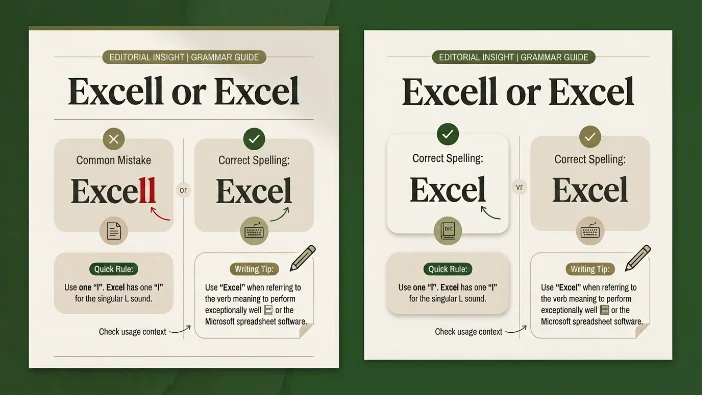
The correct spelling is Excel, while “excell” is a common misspelling. Excel refers to Microsoft’s spreadsheet software or means to perform exceptionally well. Excell” is not a standard English word and should be avoided in all professional and academic writing. Always use “Excel” for both the software and the verb meaning to surpass or shine.
Have you ever typed out an email mentioning Microsoft’s spreadsheet program and paused, wondering if it’s spelled “excell” or “Excel? You are far from alone. The confusion between these two spellings is remarkably widespread, popping up in office communications, student assignments, and even in some business proposals.
The reason behind this common mix-up is straightforward: when we say “Excel,” the pronunciation naturally suggests a double “l” at the end. The “cell” part sounds like it should be spelled with two l’s, leading many people to add that extra consonant. While this spelling error might seem insignificant, it can impact your professional credibility, especially in business contexts where attention to detail matters.
By the end of this guide, you will understand exactly why “excell” is incorrect, how to use “Excel” correctly, and why this distinction matters more than you might think. We will explore everything from grammar rules to practical workplace applications, ensuring you never second-guess this spelling again.
What’s the Difference Between Excell and Excel?
The fundamental difference is that Excel is correct and excell is not a standard English word. Excel functions as both a proper noun (Microsoft Excel software) and a verb meaning to be exceptionally good at something. It has one “l” at the end, not two.
| Aspect | Excel |
|---|---|
| Meaning | To be exceptionally good at something; OR Microsoft’s spreadsheet software |
| Part of Speech | Verb (intransitive) OR Proper Noun (software) |
| Refers To | Outstanding performance or ability; OR the spreadsheet application |
| Typical Usage | “She excels in mathematics.” OR “I created the report in Excel.” |
| Example | He continues to excel at his job.” |
| Common Confusion | People add an extra “l” because of how the word sounds when spoken |
Here is the critical takeaway: if you are writing about Microsoft’s software, it’s always “Excel” with a capital E. If you are describing someone who performs exceptionally well, it’s “excel” with a lowercase e. But in both cases, the spelling remains the same: one “l” at the end.
Is This a Grammar, Vocabulary, or Usage Issue?
This is primarily a spelling and vocabulary issue, though it also touches on proper noun usage. Let’s break down exactly what we are dealing with:
Grammar classification: This isn’t a grammar error in the traditional sense. Grammar refers to sentence structure, verb agreement, and syntactic rules. When someone writes “excell,” they are not violating a grammar rule; they are making a spelling error.
Vocabulary difference: We are comparing a legitimate English word (Excel) against a nonexistent word (excell). This is different from confusing two real words like “affect” and “effect.” Here, only one option is correct.
Usage difference: The word “Excel” has two distinct uses. As a verb, it’s used to describe exceptional performance. As a proper noun, it refers specifically to the Microsoft product. In both cases, the spelling remains identical.
Are both words interchangeable? No, because “excell” simply does not exist in standard English dictionaries. There is no situation where “excell” is the correct choice.
Formal English: In formal writing, using “excel” correctly demonstrates attention to detail and proper language skills. Misspelling it as “excell” would be viewed as an error.
Business English: This is where the distinction really matters. Since Microsoft Excel is such a common business tool, misspelling its name can undermine your professional image. It suggests carelessness with details, which is not the impression you want to create.
Academic writing: Universities and academic institutions expect proper spelling of software names. Using “excell” in a research paper or assignment would be marked as incorrect.
Everyday conversation: In casual writing like text messages, the misspelling might be more forgivable but still technically wrong.
Practical takeaway: Treat the verb “excel” and the software “Excel” as the same word with the same spelling. There is no acceptable context for “excell.”
Excel: Meaning, Usage, and Examples
Let’s explore everything you need to know about the correct spelling and its applications.
Excel (verb)
Meaning: To be exceptionally good at or proficient in something. When someone excels, they perform at a level above what is ordinary or expected.
Pronunciation: /ɪkˈsel/ (ik-SELL)
Part of speech: Verb (intransitive, meaning it does not take a direct object).
Common collocations with excel:
- Excel at (something)
- Excel in (something)
- Excel academically
- Excel professionally
- Excel under pressure
- Excel beyond expectations
Typical sentence patterns:
- [Subject] excels in [area or skill].
- [Subject] excels at [activity].
- [Subject] has always excelled at [something].
Workplace example: “During his three years with the company, Marcus has consistently excelled at client relationship management, securing several major accounts.”
Academic example: “Sarah excelled in her final examinations, earning the highest marks in the chemistry department.”
Technology example: “Open-source developers often excel at solving complex problems through collaborative innovation.”
Email example: “I wanted to acknowledge that your team has excelled in meeting this quarter’s objectives despite the challenging timeline.”
Daily conversation example: “My daughter really excels at piano—she’s been playing since she was five and just won a regional competition.”
Learner mistake to avoid: “She excels in speaking three languages.” (This is incorrect because “excel” doesn’t take a direct object. The correct phrasing is “She excels at speaking three languages” or “She excels in speaking three languages.”)
Excel (proper noun)
Meaning: Microsoft Excel, the spreadsheet software application used for data organization, analysis, and visualization.
Common collocations with Excel (software):
- Microsoft Excel
- Excel spreadsheet
- Excel workbook
- Excel formulas
- Excel functions
- Excel pivot tables
- Excel dashboard
Workplace example: “Can you send me the quarterly sales data in an Excel spreadsheet so I can analyze the trends?”
Academic example: “For the statistics course, we need to learn how to perform regression analysis using Excel’s data analysis tools.”
Technology example: “Excel’s new dynamic array functions have transformed how we approach complex data calculations.”
Email example: “I’ve attached the Excel file containing all the budget projections for next fiscal year.”
Daily conversation example: “I’ll create a simple Excel sheet to track our household expenses and see where we can save money.”
Mini recap: Whether you are using “excel” as a verb meaning to shine or referring to Microsoft’s software, the spelling is always E-X-C-E-L. One “l” at the end is all you need.
When Not to Use Each Word
Understanding when not to use certain words is just as important as knowing when to use them. Here are six situations where writers commonly reach for the wrong spelling:
1. When you are referring to Microsoft’s spreadsheet software
The mistake happens when people think the software name follows the same pattern as “cell” and needs two l’s. The correct spelling is “Excel” with one l. Remember that Microsoft brands it as “Excel,” not “Excell.”
2. When describing someone as exceptionally good
Some writers get confused and add an extra l because they hear two syllables and assume both need the l sound. The correct form is always “excel,” one l. If you can remember that “excellent” has one l before the final “ent,” you will remember that “excel” follows the same pattern.
3. In professional business documents
This is where the error becomes most noticeable. When writing a resume, cover letter, or business proposal, mentioning “excell” instead of “Excel” undermines your credibility. Always double-check the spelling before sending important documents.
4. In email signatures or professional profiles
Writers sometimes list “Microsoft Excell” as a skill on LinkedIn or in email signatures. This immediately suggests a lack of attention to detail. Always use “Microsoft Excel” with one l.
5. When using the word as an adjective
Some people incorrectly write “excell-sheet” or “excell skills.” These are not correct. Use “Excel sheet” or “Excel skills” with one l.
6. In academic papers or submissions
Professors and reviewers expect proper spelling of software names. “Excell” in an academic context will be flagged as an error and can affect your grade or credibility.
Memory tip: Think of the word “excellent.” It has one “l” after the “e” and one “l” before the “ent.” “Excel” follows the same pattern. If you can spell “excellent” correctly, you can spell “excel” correctly.
Common Mistakes and How to Avoid Them
| Correct Sentence | Incorrect Sentence | Explanation |
|---|---|---|
| “I created a budget tracker in Excel.” | “I created a budget tracker in Excell.” | Microsoft’s software is spelled Excel, not Excell. The extra “l” is a common error. |
| “She excels in public speaking.” | “She excells in public speaking.” | The verb “excel” takes one “l” at the end. Adding an extra “l” creates a misspelling. |
| “Excel is widely used in corporate finance.” | “Excell is widely used in corporate finance.” | The proper noun requires one “l” at the end. |
| “He has always excelled at programming.” | “He has always exelled at programming.” | The past tense of “excel” is “excelled” (double “l” before “ed”). |
| “Please attach the Excel file.” | “Please attach the Excell file.” | Software names are proper nouns and should be capitalized and spelled correctly. |
| “Her ability to excel under pressure is remarkable.” | “Her ability to excell under pressure is remarkable.” | The verb form always uses one “l.” |
Understanding why these mistakes happen: Most spelling errors with “excel” come from phonetic confusion. When we say “excel,” it sounds like we are saying two syllables: “ex” and “cell.” Because “cell” is spelled with two l’s, the brain automatically wants to transfer that spelling. The trick is to separate the sound from the spelling and remember that “excel” follows the same pattern as “excellent.
Quick Decision Box
If you are referring to: Microsoft’s spreadsheet software → Use Excel
If you are describing: Outstanding performance or ability → Use excel
If you are unsure: Remember that both uses share the same spelling: E-X-C-E-L
The rule: If you need one l, use it. If you need two l’s, you have made a mistake.
Real-World Examples Across Different Contexts
Office communication: “I’ve been working on the annual report in Excel, and I need your input on the formatting before we finalize it.”
Business email: “Dear Team, Our department has consistently excelled in meeting our sales targets. To track our progress more effectively, I’ve created an Excel dashboard that we will review at tomorrow’s meeting.”
University context: “The professor demonstrated how to create statistical models in Excel. Students who excelled in the previous assignment will be invited to participate in the advanced workshop.”
Customer support: “Thank you for contacting us. I’ve compiled the details of your issue in an Excel spreadsheet to track the investigation process. Our support team excels at resolving technical problems efficiently.”
Technology: “Modern data analysts use Excel in combination with Python for more sophisticated data processing. Those who excel in both tools are highly sought after in the job market.”
Artificial Intelligence: “AI-powered features are now integrated into Excel, allowing users to generate insights from data automatically. Companies that excel at implementing these tools gain a significant competitive advantage.”
Daily conversation: “I’m not great with technology, but I’ve learned to use Excel for keeping track of my freelance invoices. It’s amazing how much you can do once you excel at the basics.”
Excel in Modern Technology
The word “excel” has taken on new significance in our technology-driven world. Microsoft Excel has become so ubiquitous that it’s often simply called “Excel” without the Microsoft prefix, much like “Google” has become a generic verb.
Artificial Intelligence and Excel: Microsoft has been integrating AI capabilities into Excel through features like “Analyze Data” and “Ideas.” These tools use machine learning to identify patterns in your spreadsheets automatically, making Excel more powerful than ever.
Virtual Assistants and Excel: Modern workplaces often integrate Excel with virtual assistants like Microsoft Teams and Cortana. Users can now ask questions like “Show me the sales data from Excel” and receive spoken answers.
Chatbots and Excel: Many business chatbots pull data directly from Excel spreadsheets, providing real-time answers to customer inquiries based on information stored in tables and formulas.
Software Development: Excel’s programming language, VBA (Visual Basic for Applications), allows developers to create macros and automate repetitive tasks. Professionals who excel at Excel programming often become invaluable team members.
Business Tools: Excel remains central to business operations, from accounting to project management. Its versatility ensures it continues to be essential despite competition from newer tools.
The takeaway: Whether we are talking about the software or the verb, “excel” remains a powerful word in modern communication. Its correct usage reflects an understanding of both language and technology.
Word Origin
Understanding where “excel” comes from can help you remember its correct spelling.
Origin: The word “excel” entered English in the 15th century from Latin via Old French.
Language history: It derives from the Latin word “excellere,” which combines “ex-” (out, beyond) and “cellere” (to rise, to be eminent). The original meaning was literally “to rise above” or “to be eminent beyond others.
meaning development: Over time, the meaning shifted from a physical rising above to a more abstract sense of being superior in quality or performance. The word has retained this core meaning for centuries, only gaining the additional software reference in the modern era.
Interesting fact: The Latin root “cellere” is related to “culmen” (peak or summit), which gives us “culminate.” So when you excel, you are literally reaching the peak of performance. This historical context reinforces why “excel” has one “l”—it came from a word with one “l,” and the spelling has remained consistent.
Expert Insight
As an English language instructor who has worked with thousands of students, I consistently find that spelling errors like “excell” come from overcomplicating simple rules. Students often memorize complex grammar structures but stumble on basic spelling because they rely too heavily on how words sound. The key to mastering English spelling is to remember that pronunciation is an imperfect guide. When you hear “excel,” your brain hears “ex-cell” and wants to add that second “l.” Train yourself to think of the written word first. Associate “excel” with the word “excellent,” where the “l” appears only once before the final syllable. This mental connection will save you from making this error repeatedly. Remember, the most effective communicators are not those who never make mistakes but those who learn to avoid common ones through awareness and practice.
Error Prevention Checklist
✓ Always use “Excel” (with one “l”) when referring to Microsoft’s spreadsheet software.
✓ Always use “excel” (with one “l”) when describing exceptional performance or ability.
✓ Double-check your spelling before sending professional emails or business documents.
✓ Remember that “excell” is never correct in any context.
✓ When in doubt, think of the word “excellent”—it uses one “l” before the “ent,” and “excel” follows the same pattern.
Related Grammar Confusions
- Affect vs. Effect – These two words are commonly confused because they sound similar but have different meanings and functions.
- Complement vs. Compliment – One means to complete or go well with something; the other means to praise someone.
- Stationary vs. Stationery – One means not moving; the other refers to office supplies.
- Principle vs. Principal – One refers to a rule or belief; the other refers to the head of a school or the primary amount of money.
- Farther vs. Further – One refers to physical distance; the other refers to metaphorical or figurative extent.
- Then vs. Than – One relates to time; the other is used for comparisons.
- Its vs. It’s – One shows possession; the other is a contraction of “it is.”
- Your vs. You’re – One shows possession; the other is a contraction of “you are.”
- Accept vs. Except – One means to receive; the other means to exclude.
- Advice vs. Advise – One is a noun; the other is a verb.
Each of these common confusions, like our focus on “excel,” stems from either phonetic similarity or spelling patterns that mislead writers. Learning the distinctions enhances both written and spoken English proficiency.
FAQs
Is “excell” ever correct in any English dictionary?
No. “Excell” is not the standard spelling of the English verb excel. The correct form is “excel,” whether you’re using the verb to mean performing exceptionally well or referring to Microsoft Excel.
Why do so many people misspell “excel” as “excell”?
The mistake often comes from the word’s pronunciation and its similarity to “cell,” which ends in two l’s. Some writers may also associate excel with excellent and assume the spelling should contain an extra l. However, the base verb is always spelled excel.
What is the correct past tense of “excel”?
The past tense and past participle are “excelled.” The final l is doubled when the suffix -ed is added, giving excel → excelled. The base form, however, has only one “l”.
Is the software name pronounced differently from the verb?
No. “Excel” the software and excel the verb are pronounced the same way: /ɪkˈsel/, approximately “ik-SELL.” Their meaning is determined by context, not pronunciation.
Can I use “excel” as a noun?
Generally, no. “Excel” is primarily a verb when it means to perform exceptionally well and a proper noun when referring to Microsoft Excel. For the related noun, use “excellence.” For example, “Her work demonstrates excellence.”
How can I remember to use one “l” instead of two?
Remember the simple pair excel → excellent. The base word excel has one “l”, while excellent also begins with the same excel spelling. You can also memorize the word as a fixed spelling: excel, not excell.
What should I do if I see someone else using “excell”?
If you’re proofreading a professional document and feedback is appropriate, you can politely point out that “excel” is the standard spelling. In casual conversations, however, correcting someone may not be necessary unless they’ve asked you to check their writing.
Conclusion
The distinction between “excell” and “Excel” comes down to one simple fact: “excell” is not a word. The correct spelling, whether you are referring to Microsoft’s spreadsheet software or describing exceptional performance, is always “excel” with one “l” at the end. While this might seem like a minor detail, using the correct spelling demonstrates attention to detail and strengthens your professional credibility.
Remember the connection to “excellent.” Both words share the same root and the same spelling pattern. If you can write “excellent” correctly, you can write “excel” correctly. The next time you type out “excell” and pause, wondering if it looks right, trust your instinct and drop that extra “l.” Your writing will be more accurate, and your readers will notice the difference.